Small on purpose
One program with a window, a menu next to the clock and a command line. The Windows installer is 2.7 MB.
Alpha Early test version. Many parts do not work properly yet. Export any work you want to keep.
For Windows, macOS and Linux
The Desk installs and runs server tools as apps, in containers on your own computer. n8n, Gitea, Open WebUI and Ollama are built in, and any app described in a Compose file can be added.
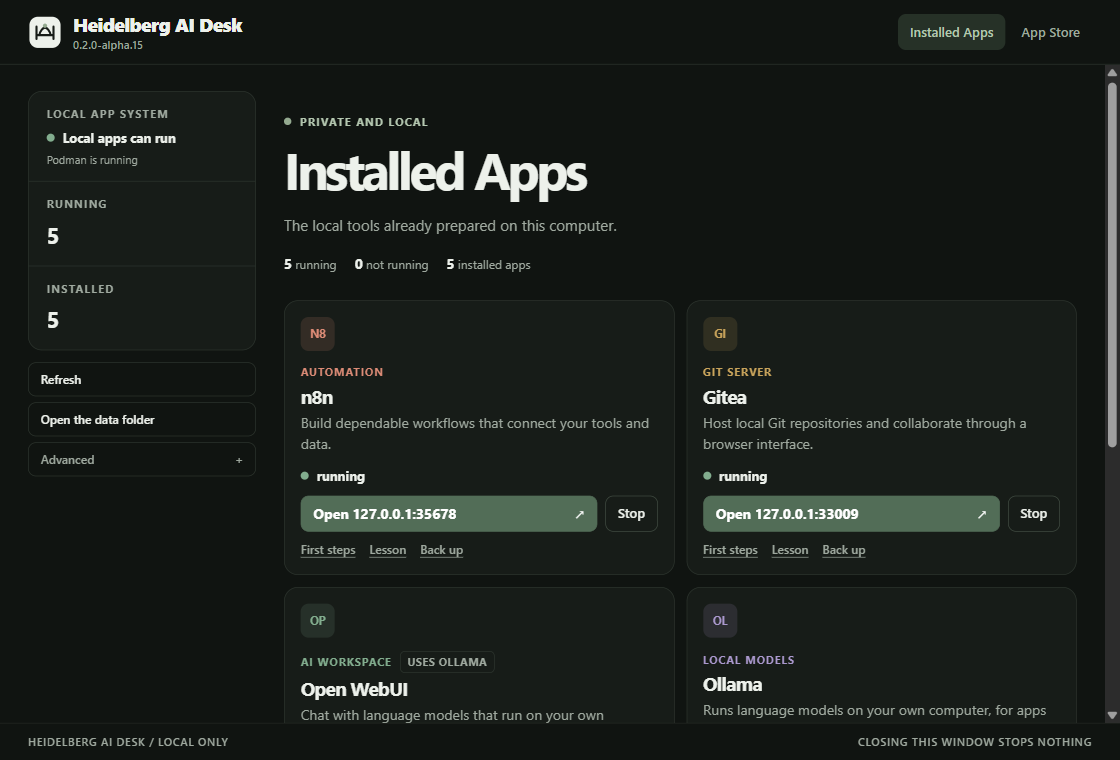
One program with a window, a menu next to the clock and a command line. The Windows installer is 2.7 MB.
Each app is one container that answers only at a local address on your own computer. Accounts and settings stay inside the apps.
Stopping or removing an app keeps its data and settings. A newer version of an app replaces the container and keeps the data.
Three steps
The Desk needs Podman, a free program that runs containers. On Windows the Desk sets it up for you.
Windows: run the installer. It offers to set up Podman in a window you can watch. macOS and Linux: unpack the archive and install Podman yourself; desk setup tells you how.
Windows: open the Desk from the Start menu or with a click on its icon next to the clock, and press “Install and open” on n8n or Gitea. On every system: desk start n8n. The first start downloads the app and takes a few minutes.
The app opens at a local address such as http://127.0.0.1:35678/. The next time the Desk starts, it starts the apps that were running before.
The apps
Each is the maker’s own program at a fixed version. They are reviewed before a Desk is published.
Build automations as visual workflows that connect tools and data.
Keep code and files under version control, on your own machine.
Chat with language models that run on your own computer. It finds Ollama by itself.
Runs the language models. In a container it uses the processor, not a graphics card.
Open WebUI and Ollama are large: together they download about 10 GB the first time. A fresh Ollama has no model; you fetch one from inside Open WebUI.
What to do first in each app: your first ten minutes. Running a course with it: for teachers.
Open the Heidelberg AI CurriculumYour own apps
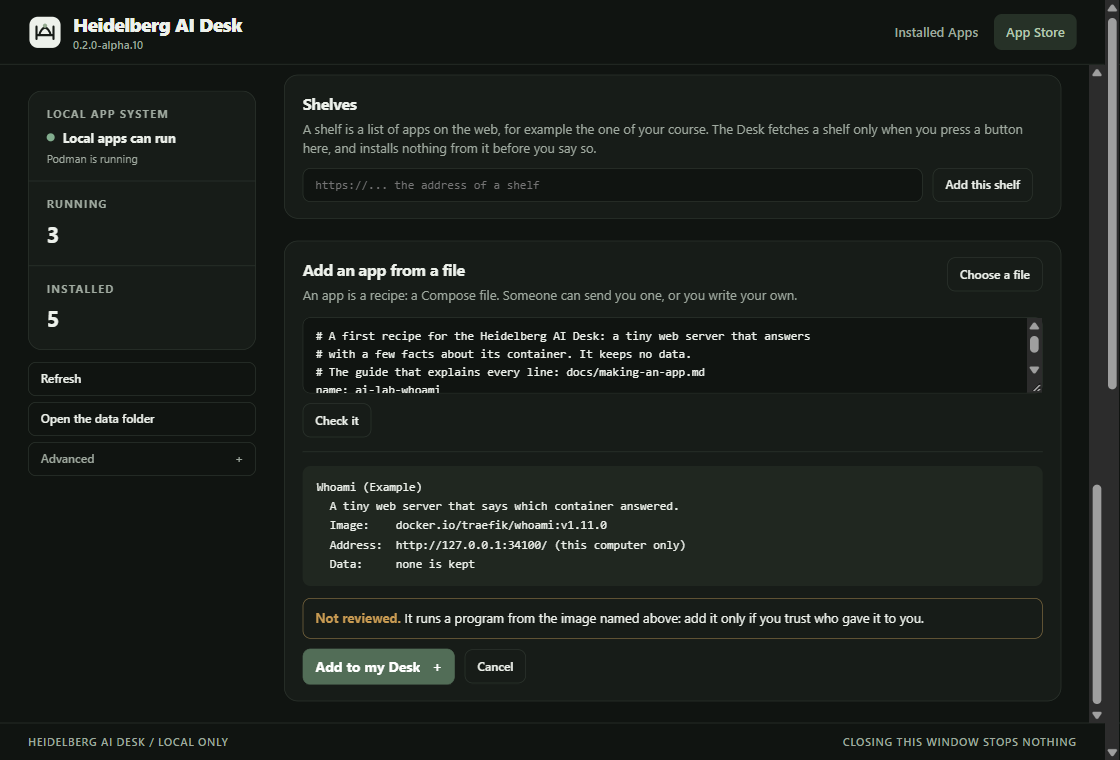
A recipe is an ordinary Compose file with a few extra lines. Write one, check it, and send it to a classmate by messenger or e-mail.
Download · alpha
Version 0.2.0-alpha.15 for Windows, macOS and Linux. It is an early test version: the installer and each archive have been tried on one computer. From this version the Desk says when a newer one is out and updates itself on one click; an earlier version is installed over once, by hand. There is no download for Windows on ARM or for a Mac with an Intel processor.
Windows will warn about an unknown publisher. The window uses the WebView2 runtime that Windows 11 brings along; without it the menu and the command line still work. The macOS programs are ad-hoc signed and not notarized: macOS stops them until you run the one line from the help page.
Installer with the window, the menu next to the clock and the command line. Sets up Podman for you.
Download installer 0.2.0-alpha.15 · 2.7 MB · unsignedArchive with the window, the menu and the command line, for a Mac with an M1 chip or newer; a Mac with an Intel processor gets no download. You install Podman yourself. The commands have been tried on a Mac and the window opened there. Nobody has looked at the window or the menu on a Mac yet.
Download archive 0.2.0-alpha.15 · 0.9 MB · not notarizedArchive with the command-line program as one static file; it adds apps from a file too. Linux has no window and no menu yet: you type desk commands in a terminal. You install Podman with your package manager.
34e568d35b275d33917dfc723bd72cf650dc4ff2f30bd67be86f5d11dd616b6f40d4c6fe33a727f6a4184954fdcac2a6044da344ca4e38828f96967883725986ff6a608f5c7674824a60369a9519f8b875eda15b0e520d592db2e08e9b3e4c0bBefore you install
On your computer. Each app is a container that answers only at a local address (127.0.0.1). The apps themselves are downloaded from their makers’ registries the first time you start them.
On Windows, yes. The installer offers to run desk setup in a window you can watch; it installs Podman with Windows’ own package manager, accepts that package manager’s terms for you and says so, and starts Podman. On macOS and Linux you install Podman yourself, and desk setup tells you how.
Stopping keeps everything. Removing deletes the container and keeps the app’s data and settings. The Desk has no command that deletes your data.
Yes. An app is a recipe, a Compose file with a few extra lines. The Desk checks it, shows what it would run and adds it, marked “Not reviewed”. The help page shows how to write one. An app that others should find goes onto a shelf: how an app gets onto the Desk’s shelf.